Electricity card examples
Visualizations
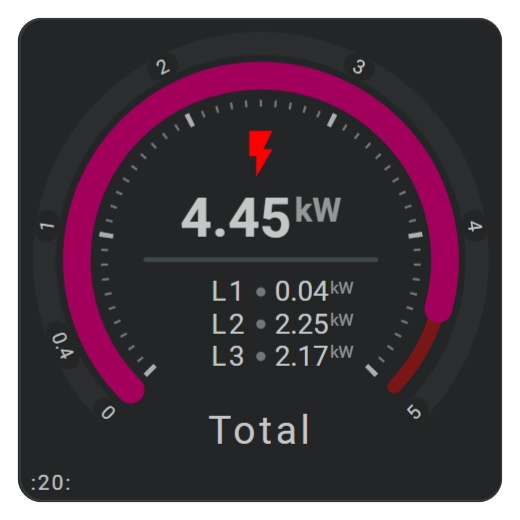
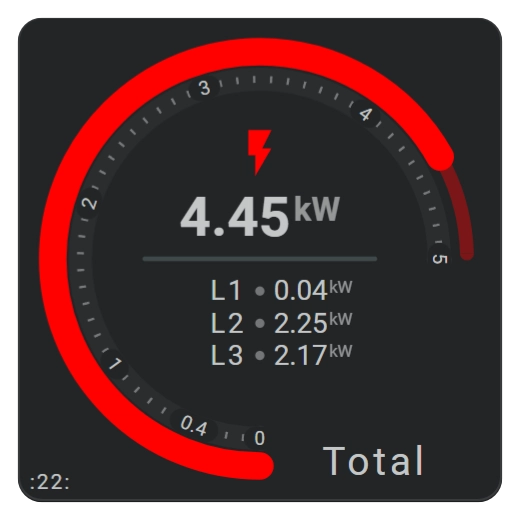
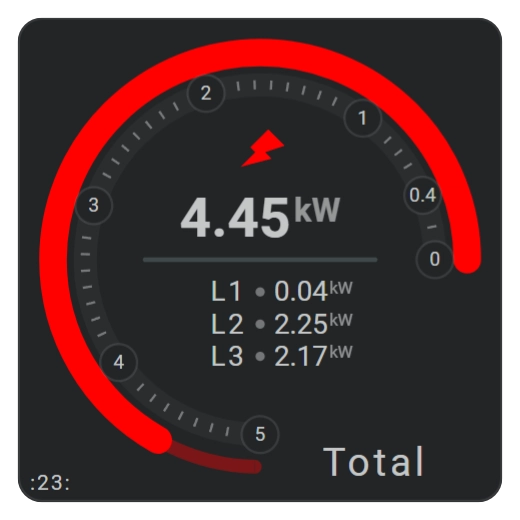
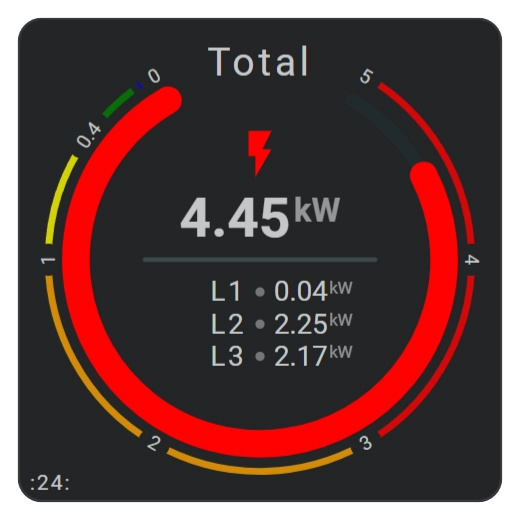
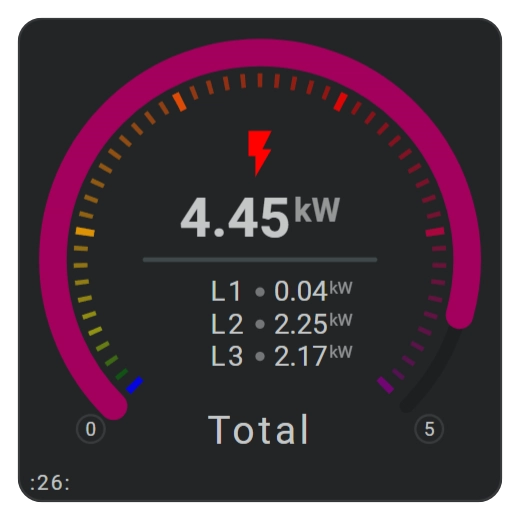
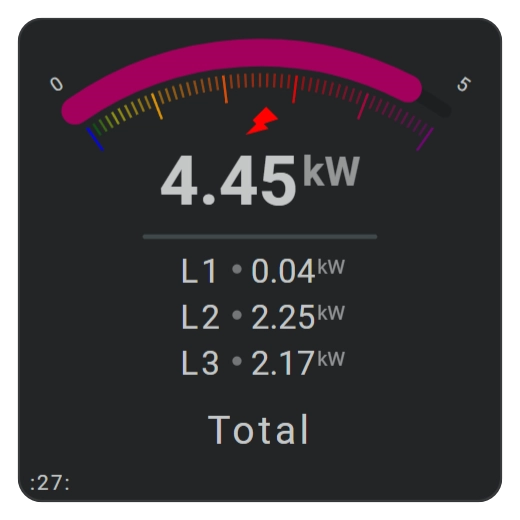
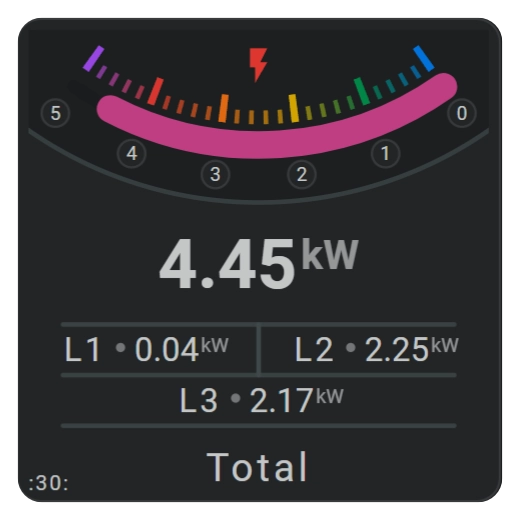
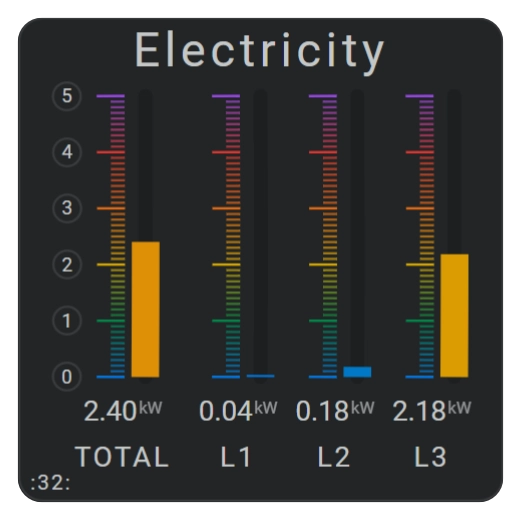
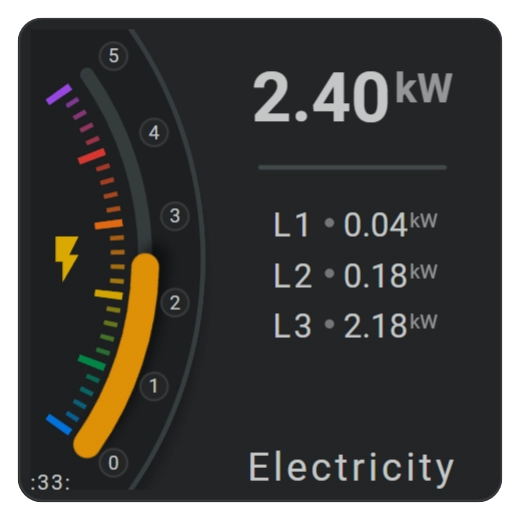
These nine electricity cards demonstrate different ways to visualize total and per-phase energy consumption with horseshoe gauges.
The examples focus on:
- arc size and starting position
- clockwise and counterclockwise orientation
- horizontal, vertical, and combined flipping
- rotation
- major and minor tick marks
- scale labels
- color stops and gradients
- repeated layouts built with reuse features
Cards 20 through 26 use regular horseshoe arcs. Cards 27, 30, and 33 use smaller arcs that are still clearly curved. Card 32 uses an arc of only 0.3 degrees, making the horseshoe appear as a straight vertical bar.
| Description | Aspect ratio |
|---|---|
| Electricity cards using DSMR data for total consumption and phases L1, L2, and L3. | 1/1 |
Demonstrated functionality
| Feature | Cards | Demonstrated use |
|---|---|---|
same_as | All | Reuses repeated phase names, circles, states, and other layout items. |
same_as | 32 | Reuses horseshoes with colored scales and a large radius to create vertical bars. |
ref() | Several | Inserts shared icon state maps and other definitions from constants. |
calc() | Several | Calculates positions, spacing, dimensions, and radii. |
| Groups | Several | Positions the repeated L1, L2, and L3 layouts. |
| Icon rotation | 27 | Rotates an icon within the card layout. |
| Color stops | All | Applies fixed threshold colors or smooth gradients to horseshoes. |
Required integrations and resources
These examples use:
- the DSMR Reader integration
- an external color palette for cards 30, 32, and 33
The entity IDs in the YAML examples assume that the DSMR Reader integration provides total and per-phase electricity sensors. Adjust them when your installation uses different entity IDs.
Interaction
Tools connected to an entity use the card’s default interaction behavior.
| Part | Behavior |
|---|---|
| Card elements | Clicking or tapping an entity-connected element opens the Home Assistant More info dialog by default. |
External light and dark color palette
Cards 30, 32, and 33 use the external rainbow-palette-new.json palette.
External color palette: rainbow-palette-new.json
{
  "ref": {
    "fhs-ref-rainbow-red0": "#000000ff",
    "fhs-ref-rainbow-red10": "#410002ff",
    "fhs-ref-rainbow-red20": "#690005ff",
    "fhs-ref-rainbow-red30": "#93000aff",
    "fhs-ref-rainbow-red40": "#ba1a1aff",
    "fhs-ref-rainbow-red50": "#de3730ff",
    "fhs-ref-rainbow-red60": "#ff5449ff",
    "fhs-ref-rainbow-red70": "#ff897dff",
    "fhs-ref-rainbow-red80": "#ffb4abff",
    "fhs-ref-rainbow-red90": "#ffdad6ff",
    "fhs-ref-rainbow-red95": "#ffedeaff",
    "fhs-ref-rainbow-red99": "#fffbffff",
    "fhs-ref-rainbow-red100": "#ffffffff",

    "fhs-ref-rainbow-orange0": "#000000ff",
    "fhs-ref-rainbow-orange10": "#330300ff",
    "fhs-ref-rainbow-orange20": "#5c0b00ff",
    "fhs-ref-rainbow-orange30": "#851c06ff",
    "fhs-ref-rainbow-orange40": "#a84a00ff",
    "fhs-ref-rainbow-orange50": "#c45100ff",
    "fhs-ref-rainbow-orange60": "#e66a12ff",
    "fhs-ref-rainbow-orange70": "#ff8833ff",
    "fhs-ref-rainbow-orange80": "#ffaa66ff",
    "fhs-ref-rainbow-orange90": "#ffdcc2ff",
    "fhs-ref-rainbow-orange95": "#ffefe0ff",
    "fhs-ref-rainbow-orange99": "#fffbf7ff",
    "fhs-ref-rainbow-orange100": "#ffffffff",

    "fhs-ref-rainbow-yellow0": "#000000ff",
    "fhs-ref-rainbow-yellow10": "#341f00ff",
    "fhs-ref-rainbow-yellow20": "#5b3700ff",
    "fhs-ref-rainbow-yellow30": "#7d5200ff",
    "fhs-ref-rainbow-yellow40": "#9c6f00ff",
    "fhs-ref-rainbow-yellow50": "#bc8b00ff",
    "fhs-ref-rainbow-yellow60": "#d9a800ff",
    "fhs-ref-rainbow-yellow70": "#f2c500ff",
    "fhs-ref-rainbow-yellow80": "#ffde4dff",
    "fhs-ref-rainbow-yellow90": "#fff29eff",
    "fhs-ref-rainbow-yellow95": "#fff9cfff",
    "fhs-ref-rainbow-yellow99": "#fffdf0ff",
    "fhs-ref-rainbow-yellow100": "#ffffffff",

    "fhs-ref-rainbow-green0": "#000000ff",
    "fhs-ref-rainbow-green10": "#00210bff",
    "fhs-ref-rainbow-green20": "#003918ff",
    "fhs-ref-rainbow-green30": "#005227ff",
    "fhs-ref-rainbow-green40": "#006d36ff",
    "fhs-ref-rainbow-green50": "#008947ff",
    "fhs-ref-rainbow-green60": "#00a65aff",
    "fhs-ref-rainbow-green70": "#2fc371ff",
    "fhs-ref-rainbow-green80": "#53e089ff",
    "fhs-ref-rainbow-green90": "#73fca3ff",
    "fhs-ref-rainbow-green95": "#c2ffd0ff",
    "fhs-ref-rainbow-green99": "#f7fff5ff",
    "fhs-ref-rainbow-green100": "#ffffffff",

    "fhs-ref-rainbow-blue0": "#000000ff",
    "fhs-ref-rainbow-blue10": "#001b3fff",
    "fhs-ref-rainbow-blue20": "#003063ff",
    "fhs-ref-rainbow-blue30": "#00468bff",
    "fhs-ref-rainbow-blue40": "#005db5ff",
    "fhs-ref-rainbow-blue50": "#0075e1ff",
    "fhs-ref-rainbow-blue60": "#3c8fffff",
    "fhs-ref-rainbow-blue70": "#73aaffff",
    "fhs-ref-rainbow-blue80": "#a8c7ffff",
    "fhs-ref-rainbow-blue90": "#d6e3ffff",
    "fhs-ref-rainbow-blue95": "#ecf0ffff",
    "fhs-ref-rainbow-blue99": "#fefbffff",
    "fhs-ref-rainbow-blue100": "#ffffffff",

    "fhs-ref-rainbow-purple0": "#000000ff",
    "fhs-ref-rainbow-purple10": "#2b0052ff",
    "fhs-ref-rainbow-purple20": "#47007fff",
    "fhs-ref-rainbow-purple30": "#6500adff",
    "fhs-ref-rainbow-purple40": "#7f2bcaff",
    "fhs-ref-rainbow-purple50": "#9b46e7ff",
    "fhs-ref-rainbow-purple60": "#b762ffff",
    "fhs-ref-rainbow-purple70": "#cc8affff",
    "fhs-ref-rainbow-purple80": "#deb5ffff",
    "fhs-ref-rainbow-purple90": "#f0dbffff",
    "fhs-ref-rainbow-purple95": "#f9edffff",
    "fhs-ref-rainbow-purple99": "#fffbffff",
    "fhs-ref-rainbow-purple100": "#ffffffff"
  },
  "modes": {
    "light": {
      "fhs-sys-rainbow-red": "var(--fhs-ref-rainbow-red50)",
      "fhs-sys-rainbow-orange": "var(--fhs-ref-rainbow-orange60)",
      "fhs-sys-rainbow-yellow": "var(--fhs-ref-rainbow-yellow60)",
      "fhs-sys-rainbow-green": "var(--fhs-ref-rainbow-green50)",
      "fhs-sys-rainbow-blue": "var(--fhs-ref-rainbow-blue50)",
      "fhs-sys-rainbow-purple": "var(--fhs-ref-rainbow-purple50)"
    },
    "dark": {
      "fhs-sys-rainbow-red": "var(--fhs-ref-rainbow-red70)",
      "fhs-sys-rainbow-orange": "var(--fhs-ref-rainbow-orange70)",
      "fhs-sys-rainbow-yellow": "var(--fhs-ref-rainbow-yellow70)",
      "fhs-sys-rainbow-green": "var(--fhs-ref-rainbow-green70)",
      "fhs-sys-rainbow-blue": "var(--fhs-ref-rainbow-blue70)",
      "fhs-sys-rainbow-purple": "var(--fhs-ref-rainbow-purple70)"
    }
  }
}
YAML card definitions
The examples below were created for version 5.4.7.
Card 20
Example definition to use within view
Card 22
Example definition to use within view
Card 23
Example definition to use within view
Card 24
Example definition to use within view
Card 26
Example definition to use within view
Card 27
Example definition to use within view
Card 30
Example definition to use within view
Card 32
Example definition to use within view
Card 33
Example definition to use within view
Related documentation
- Configure arcs, scales, states, tick marks, and labels with Horseshoe gauges.
- Learn how grouped layouts work in Groups.
- Configure threshold colors and gradients with Color stops.
- Study the reduced YAML for cards 30 and 32 in Reusable YAML Card Examples.